Learn Ejerblik · Lesson 4 of 6
When it happensA new IT lead: taking over the digital access
A new IT lead needs to know what the company has, who has access and what is urgent. With Ejerblik they can build that overview on the first day and start with what is critical.
Day one: get the overview
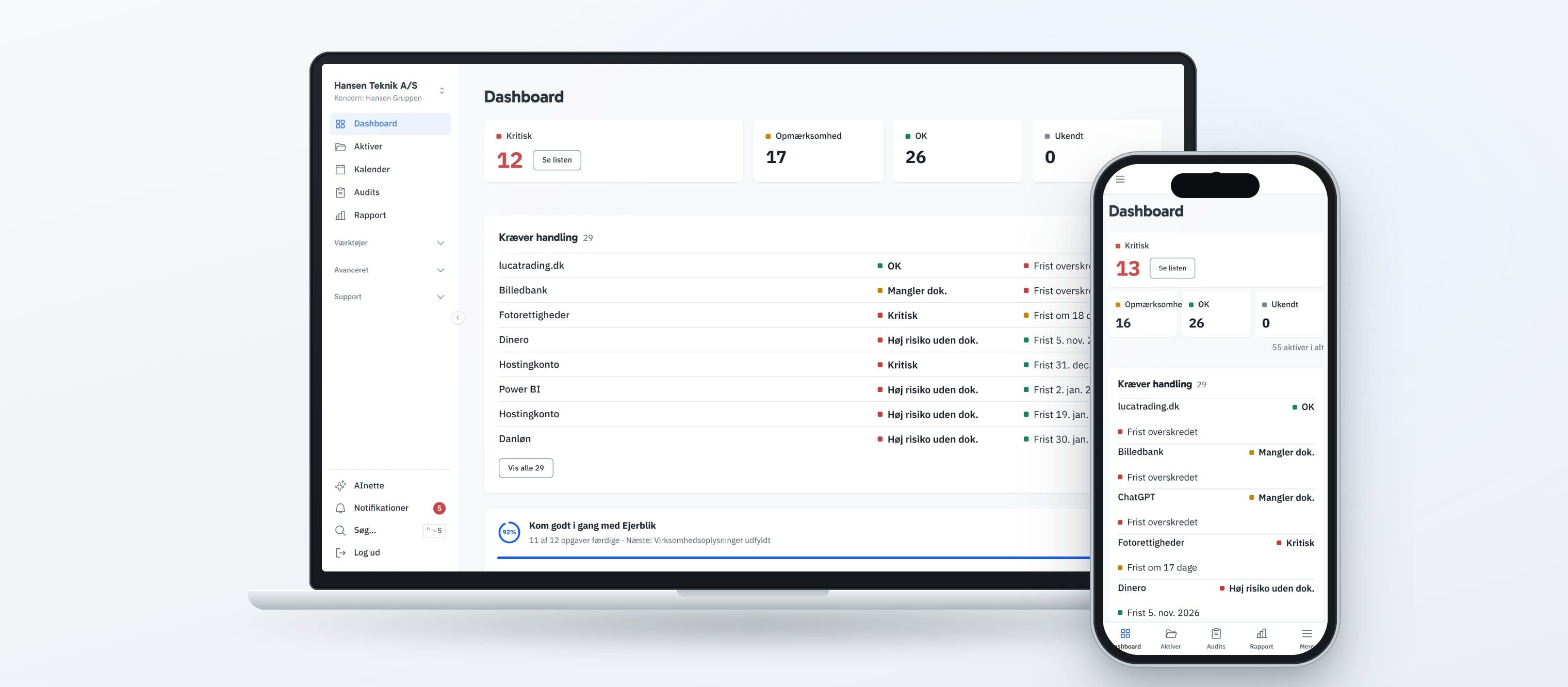
Start on the Dashboard. The figures Critical, Attention, OK and Unknown show how the assets stand, and the list "Requires action" shows the assets to look at first.
Under Assets you can filter by status and risk and sort by renewal. Assets without a Legal owner, at High risk or with a deadline within 30 days are the first to tackle.
Step 1Secure your own access
Go through the critical assets: domains, email, cloud and security tools. Confirm that you have admin access, and record your email address under "Users with access" with the role "Admin access".
If you have no access to an asset, write it in Notes, set the status to "Vendor-dependent" or "Critical", and raise it with the company's owner.
Step 2Clean up old access
Search for former IT leads and consultants under Tools → Search by user, and remove access that should no longer exist. If the company has two or more users in Ejerblik and at least 10 assets, Advanced → Access matrix shows all access in one table.
Ejerblik does not know when an access was last used. If you want to know whether a system is still in use, ask the users with Advanced → Usage confirmation before the notice deadline passes.
Step 3Run an IT audit
Go to Audits, click "+ New audit" and choose the IT audit template. It is included in the Starter and Professional plans. On the Professional plan, the IT risk assessment is also an option.
Every question you answer with Issue lands on the Action points page. That list is a good starting point for your first priorities.
Step 4Share the picture with management
On the Professional plan, Report brings together a Digital review of assets, risks, renewals and costs. You can download it with "⬇ Download report" or send a link with "Share with auditor".
If the managing director should follow along regularly, it is simpler to invite them as a user. Then they see the same dashboard as you.